Esta é uma reconstrução base da cena pública do ThingLink com o panorama original e hotspots equivalentes. As posições foram aproximadas a partir dos pontos públicos da cena.
Limitação desta versão: os ícones originais do ThingLink não foram baixados automaticamente; por isso, usei marcadores equivalentes por cor/rótulo, mantendo os títulos, textos e links públicos disponíveis.
INFO
What is the digiTED makerspace?
This virtual Makerspace is one of the project results of the digiTED project and contains multimodal and interactive content, as well as a toolkit on and for the digitalisation among teacher educators. This virtual makerspace is a digital environment that provide teacher educators with access to tools, materials, and resources for creating and making digital content. They can be accessed from anywhere with an internet connection, making them a convenient and accessible way for teacher educators from across Europe to learn and explore. We believe that such a space helps teacher educators to develop the skills and knowledge they need to integrate these technologies into their own teaching practices. Moreoever, we intend to connect teacher educators with each other and provide professional development opportunities.
INFO
Innovation Weeks
Leave the digiTED Makerspace and find the the different spaces of each digiTED Innovation Week.
Welcome to the virtual makerspace! We're here to help you with all of your maker needs. Whether you're looking for a tool, an idea, or help with a technical question, just get in touch with us. Also, if you think there is something missing or you have something to add, please let us know.
[Creating interactive presentations](https://padlet.com/mareike_oesterle/interactive-online-presentations-2h5ar9zr690ahs42) on online platforms requires a balance between engaging content, interactivity, and effective communication. Here are some general tips to help you create good presentations on these platforms: **1. Define clear objectives:** Identify the learning objectives or goals of your presentation. **2. Interactive content mix:** All platforms thrive on interactivity. Mix different types of interactive content such as polls, quizzes, open-ended questions, surveys, and multimedia to keep participants engaged. **3. Visual appeal:** Use visually appealing slides with images, videos, and graphics that complement your content. Visuals enhance engagement and aid in comprehension. **4. Keep it concise:** Avoid overwhelming participants with excessive text. Use bullet points, keywo…
Artificial intelligence tools are software systems that perform tasks associated with human intelligence- They are based on pattern recognition, prediction, content generation, using approaches such as machine learning, natural-language processing, and generative models. In teacher education, key categories include generative AI for content and feedback, intelligent tutoring/adaptive systems, learning analytics, and language technologies (UNESCO, 2025 ; Schulze, 2025 ). What do these technologies mean for teacher education? **Opportunities** - Preparation and workload relief: GenAI can accelerate lesson planning, materials design, and formative feedback when paired with critical AI literacy (Octavio, Argüello & Pujolà, 2024 ). - Richer language-learning ecologies: Today’s tools extend long-standing trajectories in CALL/ICALL towards interaction, feedback, and autonomy (Schulze, 2025 )…
Teacher educators can use Tools for Collaborative Content Creation (TCCCs) in a multitude of ways to improve their own teaching practices. Here's are some suggestions: **Professional Development** TTCs can be used by teacher educators for their own professional development, for example to enhance their lesson planning, share resources and provide feedback: - Collaborative Lesson Planning: TCCCs allow teacher educators to work with colleagues on developing engaging and effective lesson plans. They can share resources, brainstorm ideas, and refine content in real-time, leading to a richer learning experience for both educators and their students. - Interactive Learning Materials: TCCCs enable the creation of interactive presentations, polls, and quizzes that can be used to assess understanding and make the learning process more engaging for teacher educators themselves. - Peer Feedback an…
VR can create immersive and interactive learning experiences that can help students learn in new and engaging ways. AR can overlay digital information onto the real world, which can be used to enhance learning experiences and provide students with new insights. Virtual and augmented reality (VR and AR) are rapidly emerging [technologies](https://padlet.com/mareike_oesterle/ar-vr-technologies-cbb1c3fx8v5x7t53) that have the potential to revolutionize education. VR can create immersive and interactive learning experiences that can help students learn in new and engaging ways. AR can overlay digital information onto the real world, which can be used to enhance learning experiences and provide students with new insights. There are many benefits for teacher education to create VR and AR environments. These include: - **Improved student engagement:** VR and AR can create highly engaging and …
There are many [different tools](https://padlet.com/mareike_oesterle/tools-for-video-creation-and-editing-qgdpvipk35xr29od) that can be used in teacher education courses to create, edit, and work with videos. Some of the most popular tools include: - Video editing software - Video conferencing tools - Screencasting tools - Animation software
[Creating and editing images](https://padlet.com/mareike_oesterle/tools-for-image-creation-and-editing-zob96e73inkrg0xk) are two different processes, but they can often be used together to create the desired output. **1. Creating images** - Start with a clear idea of what you want to create. What is the purpose of the image? What message do you want to convey? - Do some research and choose the right tool. - Experiment with different techniques. **2. Editing images** - Cropping: This involves cutting off parts of the image to focus on the desired subject. - Resizing: This involves changing the size of the image. - Rotating: This involves rotating the image clockwise or counterclockwise. - Adjusting the brightness and contrast: This involves making the image brighter or darker, and making the colors more or less saturated. - Adding filters: This involves applying effects to the image…
Digital tools and technologies can be used to [create riddles and puzzles](https://padlet.com/mareike_oesterle/online-riddles-and-puzzles-tncj8ath1d9mfmxn) that are more engaging, interactive, and personalised than traditional riddles and puzzles. This can make them more effective teaching tools, as they can help students develop their problem-solving, critical thinking, and inference skills in a fun and challenging way.
Digital tools and technologies can be used to provide teacher educators with a variety of ways to give and receive feedback on student learning, as well as to assess student progress. Here is a short description of some of the most relevant digital tools and technologies for feedback and assessment in teacher education programs: - **Form creation tools** such as Google Forms and SurveyMonkey allow teacher educators to create and deliver surveys, quizzes, and other assessments online. These tools can also be used to collect feedback from students on their learning. - **Audio and video feedback tools** such as Flip allow teacher educators to provide students with audio or video feedback on their work. This type of feedback can be more personalised and engaging than traditional written feedback. - **Peer review tools** such as GoogleDocs allow teacher educators to facilitate peer review ac…
Using [tools for audio production and sharing](https://padlet.com/mareike_oesterle/tools-for-audio-production-and-sharing-t28eppm9nwx5rlsq) can be beneficial in teacher education courses for several reasons: **- Enhancing Engagement**: Incorporating audio elements into seminars can enhance student engagement. Audio clips, podcasts, and sound effects can make learning more interactive and enjoyable, helping teacher educators effectively convey their message and capture students' attention. **- Accessibility:** Audio tools can help make educational content more accessible. By providing audio versions of instructional materials, teacher educators can respond to different learning styles. **- Personalisation:** Audio tools allow for personalised learning experiences. Teacher educators can record personalised feedback for students, creating a more intimate and supportive learning environment.…
A Catalogue of Criteria for Evaluating and Inspiring Digital…
This project has created an inspirational online catalogue of criteria to help teacher educators plan and implement innovative digital teaching practices. The catalogue covers a wide range of settings, from using digital tools to prepare and present content to stimulating online collaboration and assessing innovative student outputs. Based on the TIM Matrix, the four criteria have been adapted for teacher education on how to integrate digital tools and technologies in teacher educators' teaching practices in a meaningful way. The catalogue is designed to be a source of inspiration for teacher educators who are looking to explore new ways to use digital technology in their teaching. It provides examples of good practice from around the world, as well as helpful tips and advice.
This work is licensed under a **Creative Commons Attribution 4.0 International License**. You are free to: **Share** - copy and redistribute the material in any medium or format. **Adapt** - remix, transform, and build upon the material for any purpose, except for commercial reasons. Under the following terms: **Attribution** - You must give appropriate credit, provide a link to the license, and indicate if changes were made. You may do so in any reasonable manner, but not in any way that suggests the licensor endorses you or your use.
Tools for Multimodal and Interactive Content Creation
For creating multimodal content such as the following tools can be used for example to create interactive and multimedia eBooks, interactive document, presentations or infographics and diagrams.
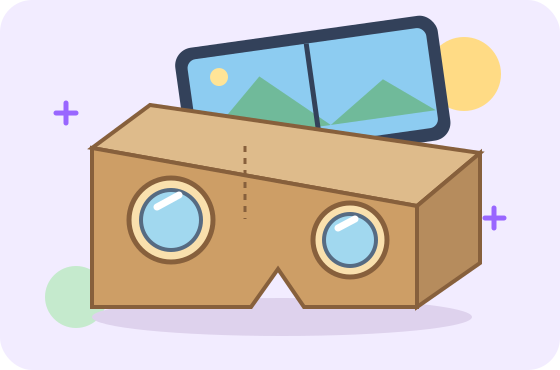
The digiTED Virtual Makerspace on CoVince is an immersive and interactive digital environment designed on a platform that is more immersive. It can be accessed both with and without VR goggles, making it inclusive for all users regardless of their technical setup.
Funded by the European Union. Views and opinions expressed are however those of the author(s) only and do not necessarily reflect those of the European Union or the European Education and Culture Executive Agency (EACEA). Neither the European Union nor EACEA can be held responsible for them.